Archlist
A project-management web app for architects — phases, documents, suppliers, object catalogues and finances — designed inside a visual direction owned by the client, and an exercise in advocating for UX changes within it.
- Discipline
- Web app design
- Role
- UI / UX Design
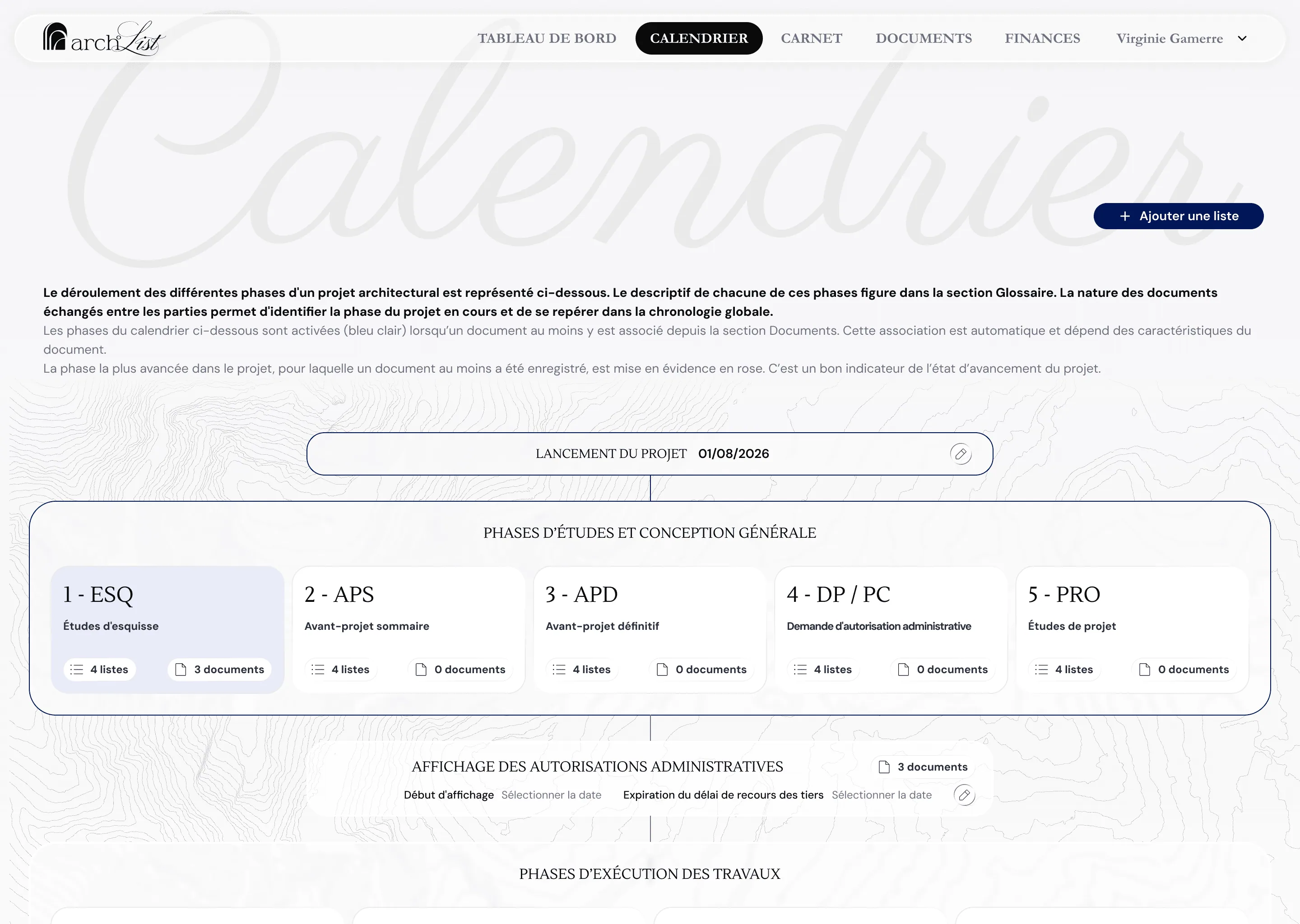
Archlist follows an architectural project from first sketch to handover: the phase it is in, the documents that prove it, the trades working on it, and the objects specified along the way.
The client arrived with a fully formed visual identity and a clear picture of how the product should look and read. The design work happened inside that picture rather than in place of it.
An architectural project has a chronology everybody in the profession knows and almost no software reflects, so the phase you are in has to be read off the documents that exist.
Work the improvements into the established direction rather than around it, and make every change one that could be argued for in the client's own terms.
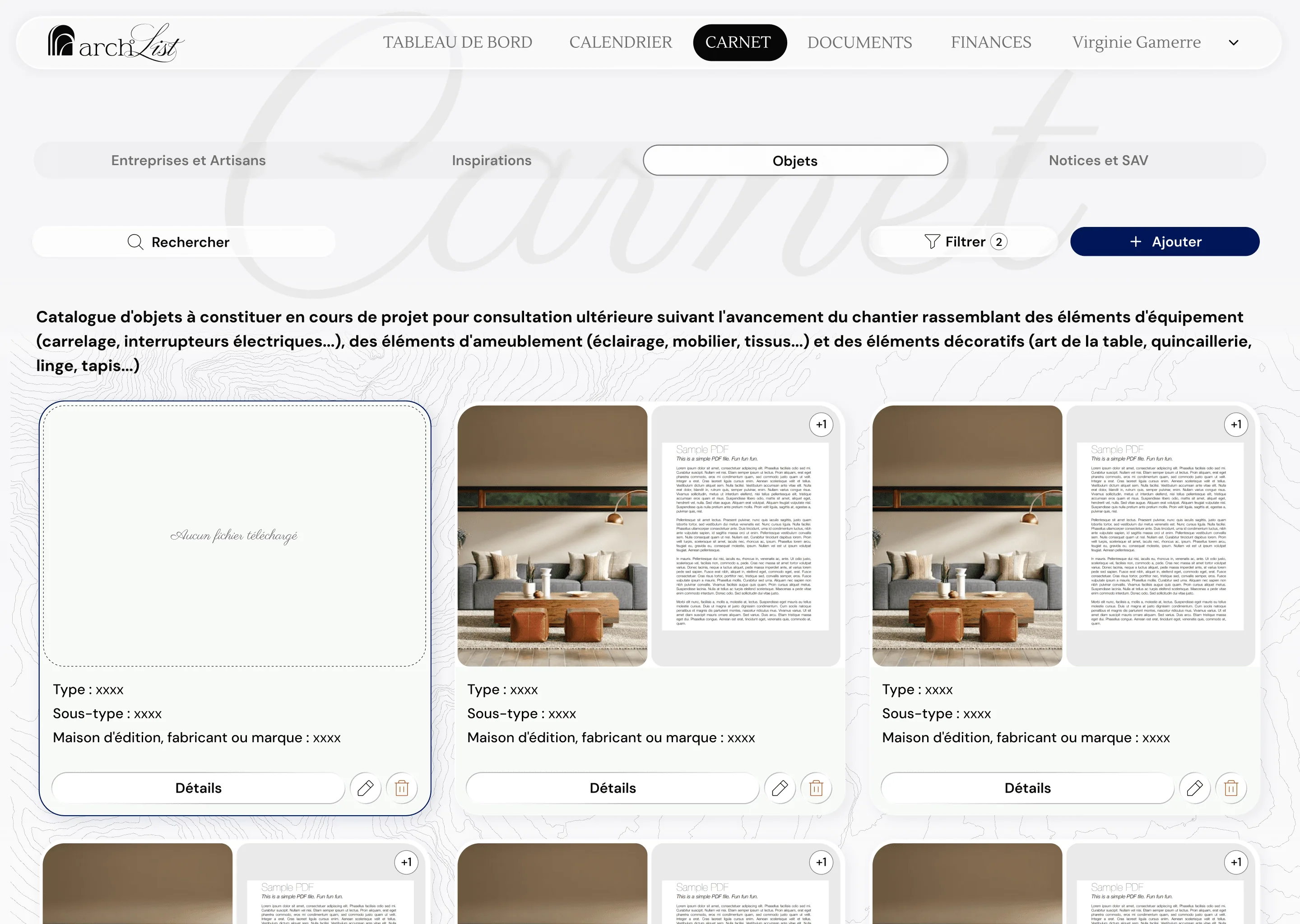
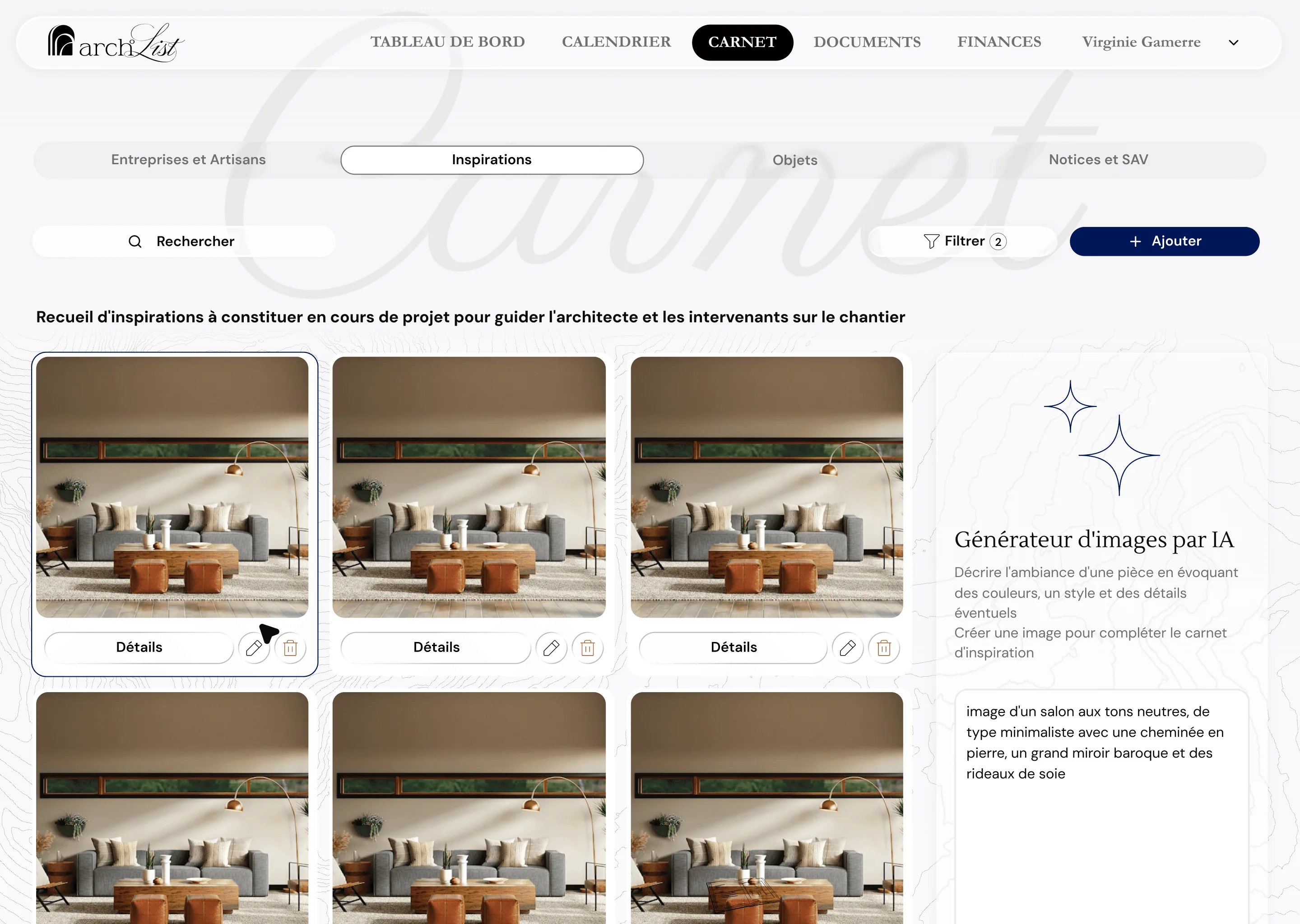
This was the most constrained brief in this portfolio, and the constraint was the interesting part. The identity — the script wordmark, the navy, the topographic ground, the section titles set as watermarks — was not up for discussion, and neither was the overall shape of the product. Colour, typography and the general feel of the thing were the client's own work and they were closely attached to all of it. Proposing a different direction would have been the wrong instinct as well as an unwelcome one. So the case for each change was made in the client's language and against their own goals: legibility for their clients, fewer places to look, less repeated data entry. That case rarely landed the first time it was made. Most of it was put, reviewed, set aside, and brought back in the next meeting with the reasoning rewritten around something the client had already said they wanted — over a long run of those meetings. The phase timeline is where the method worked best. It keeps the ornament and the profession's own vocabulary, and adds a state model underneath it — a phase lights up when a document is filed against it, and the furthest lit phase is marked as where the project has reached. The architect gets their chronology; their client gets a progress indicator; nothing about the look had to change to get both. That last clause is why it was accepted. The same method runs through the rest. The object catalogue carries the fields a specification actually needs — type, sub-type, manufacturer — with the file thumbnails and their overflow count shown on the card, so a card answers a question rather than inviting a click. Inspirations sits next to an image generator, which is the client's idea, given a place in the flow where it supports the moodboard rather than interrupting it.
A phase activates when a document is filed against it, so progress is derived from the work rather than self-reported.
Type, sub-type, manufacturer, and the attachment count are on the card, so browsing a catalogue does not mean opening it.
Every UX proposal was framed against the client's own stated goals, which is what kept the direction intact and the improvements in it.
The sections the practice works in.

Explore the design
Want to see the work beyond the screenshots? The real file is right here.
Figma design explorer
Ready for Figma source — Archlist
Development placeholder. Not rendered in production.
Design preview unavailable
The rest of this case study still is.
The hard part of this project was never a screen. It was making the case for a change again, in the next meeting, after it had already been turned down once.
I want to be straight about the outcome, because the process is the part worth showing. A number of the recommendations I believed in most — several of them about colour and about how much visual weight the interface carries — did not survive. They were heard, considered, and shipped the client's way. I kept returning to a few of them across months of reviews, and some of those eventually landed once I found the argument that connected them to something the client already wanted. Others never did. Working inside a direction somebody else owns and is attached to means every recommendation costs a conversation, and you have to decide which ones are worth spending. That is a real skill and it is not the same skill as being right. The product is better in the places where I did that work patiently, and unchanged in the places where I could not — and a designer who only shows the projects where they had a free hand is not showing you very much about how they work.